
- -25%


15 days to change your mind


Mon-Fri 09:00-17:00

+31613071127

what other customers say about us

Our team is always ready to support you.


This firmware update is suitable for: Citroën and Peugeot Myway (RNEG), Wip Nav (RNEG).
The update is delivered digitally , including instructions.
Version: R50
| Car brand | Citroën, Peugeot |
| Car model | C3, C3 Picasso, C4, C4 Picasso, C5, C8, Jumpy, Berlingo, 207, 3008, 308, 407, 5008, 807, C6, DS3, DS5, Expert, Jumper, Partner, RCZ |
| Car production year | 2008, 2009, 2010, 2011 |
| Type of navigation system | MyWay (RNEG), Wip Nav (RNEG) |
| Maps / Content | Firmware |
Secure payment
Order today, shipped within 24 hours
Return policy
15 days to change your mind
contact@navi-europe.com
Opening hours
Mon-Fri 09:00-17:00
Whatsapp
+31613071127
Read up Trustpilot
what other customers say about us
Good service
Our team is always ready to support you.
Update your RNEG Becker navigation system (Citroen MyWay / Peugeot Wip Nav) to enjoy new maps (2016 and later)
Errors corrected:
• Restart: start of random calculations in breadcrumb;
• Various bugs in Bluetooth (incompatibility with some phones, loss of Bluetooth pairing at the start of a phone call, poor sound quality);
• The message "unknown" appears instead of the caller's name when a call is received;
• Incorrect calculation of the radar speed for vehicles with a unit speed in miles;
• Navigation restarts to activate "Demo mode" navigation;
• Navigation mode: cursor frozen. Cursor is not placed on the actual position of the vehicle;
• Estimated arrival time is incorrect. The estimated arrival time is underestimated during the guidance;
• Random loss of audio settings after starting the engine;
• Sound is lost after starting the engine;
• Random noises after starting the vehicle;
• Yellowing of multifunction display;
• Random reset of date, time, and altitude;
• Call history is not visible on the multifunction display;
How do you update the firmware?
1. Start the engine and insert the memory card with the firmware.
2. Wait for the system prompt for update and select 'yes' to start the update process.
3. DO NOT turn off the engine during the update, as this may cause the system error.
4. Your system may restart multiple times during the update. Wait until the process is complete and do not operate the controls.
5. The update process usually takes 30 minutes.
6. After the last restart, the system will ask to update again. Now select 'NO' and remove the SD card from your device.
7. The update is complete.
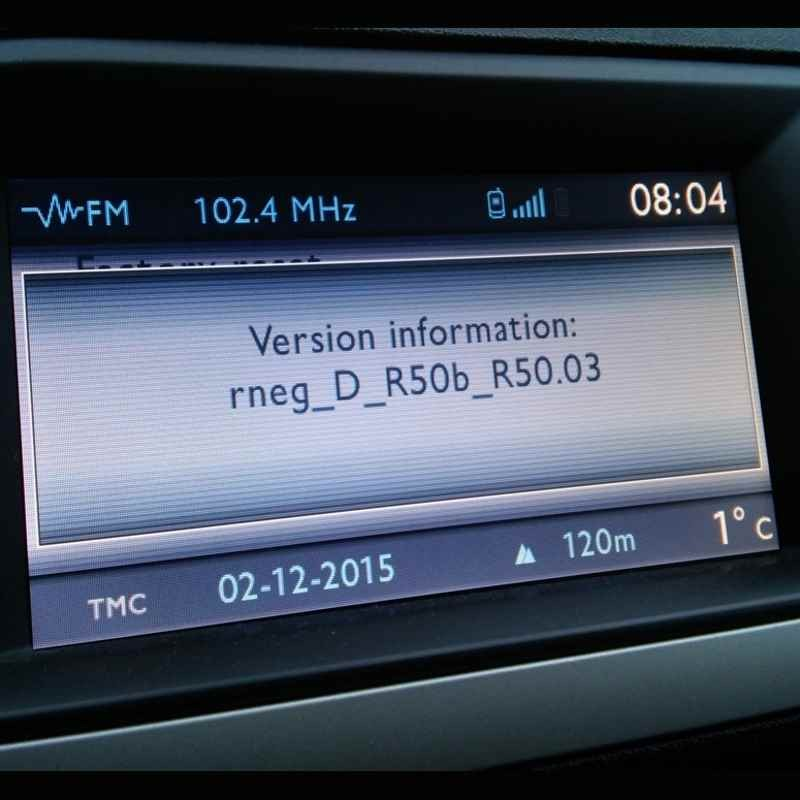
8. Check the firmware version: press and hold the 'SETUP' button for 5 seconds until the system menu appears. Check the installed firmware version R50.
This firmware update is suitable for: Citroën and Peugeot Myway (RNEG), Wip Nav (RNEG).
The update is delivered digitally , including instructions.
Version: R50
| Car brand | Citroën, Peugeot |
| Car model | C3, C3 Picasso, C4, C4 Picasso, C5, C8, Jumpy, Berlingo, 207, 3008, 308, 407, 5008, 807, C6, DS3, DS5, Expert, Jumper, Partner, RCZ |
| Car production year | 2008, 2009, 2010, 2011 |
| Type of navigation system | MyWay (RNEG), Wip Nav (RNEG) |
| Maps / Content | Firmware |