
- -€7.00


15 days to change your mind


Mon-Fri 09:00-17:00

+31613071127

what other customers say about us

Our team is always ready to support you.


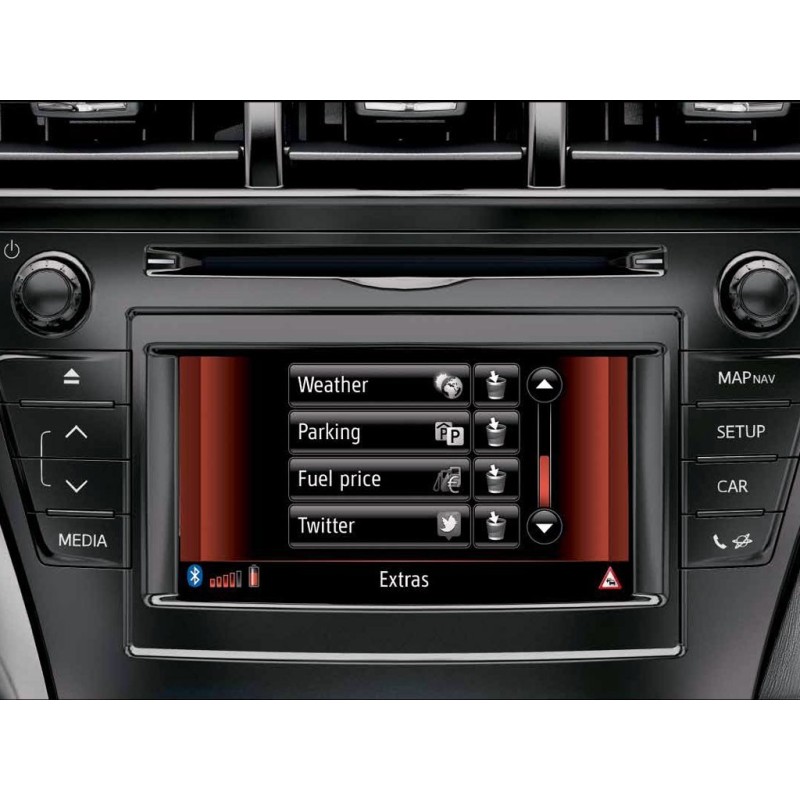
Toyota Touch & Go / Touch & Go Plus (CY11 navibox)
Here you can purchase the latest map update for the Toyota Touch 1 navigation systems: Toyota Touch & Go and Toyota Touch & Go Plus, which were introduced in 2011 and lasted until 2014 (until 2015 on some models).
Latest version 2025 for Touch & Go units. Software 2.25.3 (2024.Q4 map data).
The update is delivered on a USB with an activation code.
Go to the description and read!
1. What do we need in advance?
2. Instruction
Secure payment
Order today, shipped within 24 hours
Return policy
15 days to change your mind
contact@navi-europe.com
Opening hours
Mon-Fri 09:00-17:00
Whatsapp
+31613071127
Read up Trustpilot
what other customers say about us
Good service
Our team is always ready to support you.
The update is suitable for the following vehicles:
Map coverage: Albania, Andorra, Austria, Belarus, Belgium, Bosnia and Herzegovina, Bulgaria, Croatia, Czech Republic, Denmark, Estonia, Finland, Gibraltar, France, Germany, Greece, Hungary, Iceland, Ireland, Italy, Kazakhstan, Kosovo, Latvia, Liechtenstein, Lithuania, Luxembourg, North Macedonia, Malta, Moldova, Monaco, Montenegro, Netherlands, Norway, Poland, Portugal, Romania, Russia, San Marino, Serbia, Slovakia, Slovenia, Spain, Sweden, Switzerland, Turkey, Ukraine, United Kingdom, Vatican City.
What do we need in advance?
- a photo with the software version and device ID (see photo no. 6/7)
During the installation, the navigation system will ask for the activation code using a request code.
Send us another photo of the screen with your device ID and the request code.
Instruction:
1. Start the engine.
2. Insert the USB stick into the car's USB port.
3. Accept the update to the new version by entering “Yes”.
4. The device ID and request code appear on the screen to activate the update.
5. Take a photo of the device ID and request code and send it to me (this is an example).

6. Enter the code you received from us.
IMPORTANT : For older systems, the update must be performed in 2 steps.
Step 1:
7. Select “Select country”.

8. Select one country, for example “The Netherlands”, and confirm the update.
(The update for one country does not take that long.)
9. The system may automatically restart multiple times or ask for confirmation.
10. When the first update is complete, turn off the car and remove the USB stick. Wait a few minutes.
Step 2:
11. Restart the car and put the USB stick back in.
12. Re-enter the code and choose “Western Europe” or “Select country”. You can now select multiple countries.
(This update takes longer, about 60–90 minutes.)
13. Wait until the update process is fully completed.
14. After the update, turn off the car's ignition. Wait approximately 1–2 minutes and restart the car.
15. You are ready to navigate.
Toyota Touch & Go / Touch & Go Plus (CY11 navibox)
Here you can purchase the latest map update for the Toyota Touch 1 navigation systems: Toyota Touch & Go and Toyota Touch & Go Plus, which were introduced in 2011 and lasted until 2014 (until 2015 on some models).
Latest version 2025 for Touch & Go units. Software 2.25.3 (2024.Q4 map data).
The update is delivered on a USB with an activation code.
Go to the description and read!
1. What do we need in advance?
2. Instruction